
Canon EOS R Full Frame Photography Camera
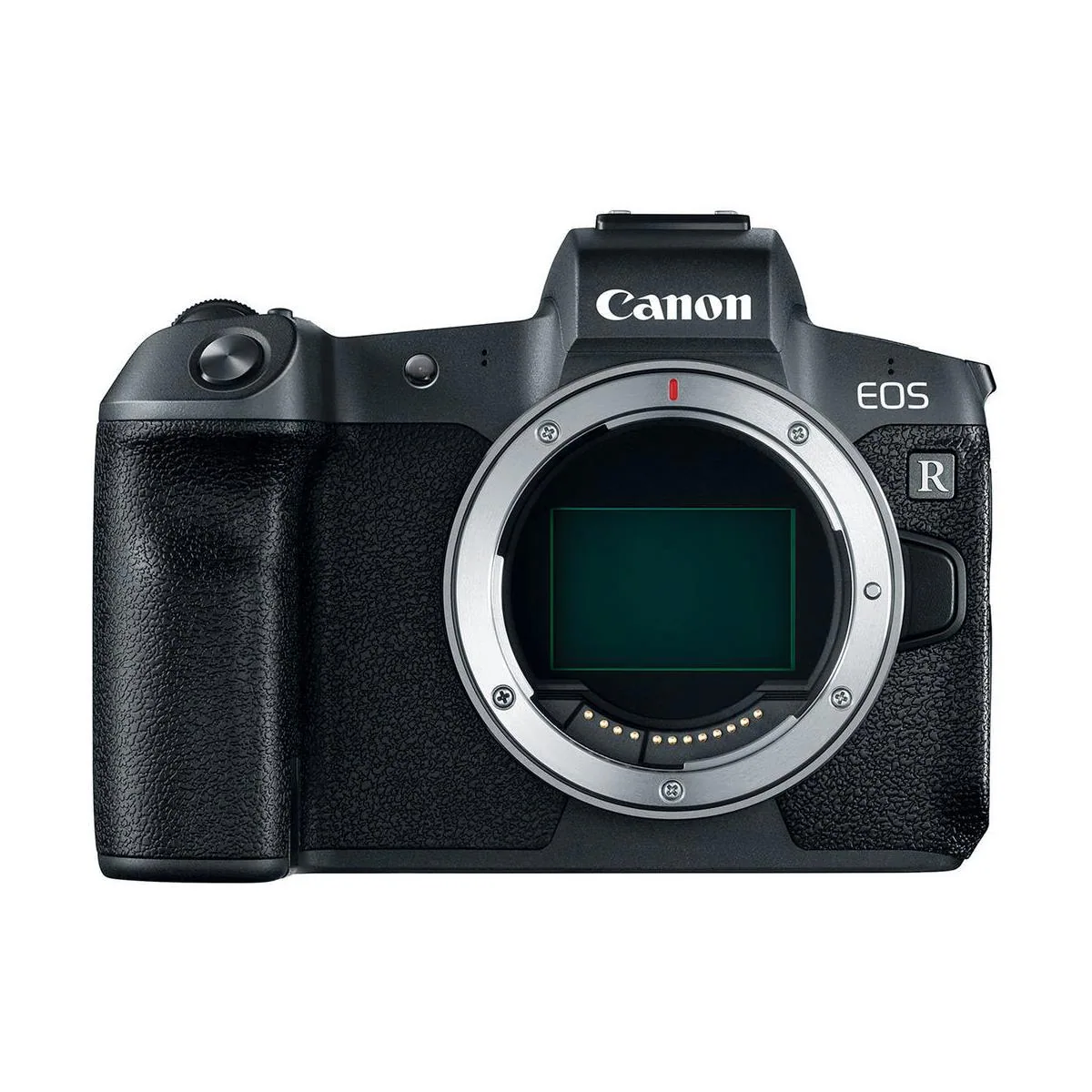
Canon · Canon EOS R
$2,299.00 MSRP
Key Features
- Full Frame CMOS
- Subject Detection
- Up to 8 fps Continuous Shooting
- Up to 59.94 fps Video
- RF-Mount
🔒 Log in to add this to a kit.
In the Box
- 1 × Battery Pack LP-E6N
- 1 × Battery Charger LC-E6E
- 1 × Body Cap R-F-5
- 1 × Cable Protector
- 1 × Canon EOS R Camera Body
- 1 × Interface Cable IFC-100U
- 1 × Strap ER-EOS R
Colorist
Professional Color Profiles2
Canon C-LOG / Rec.2020
Canon Cinema EOS C.S. 112 stops10-bit recommendedHDRHybrid Photo/VideoStreaming DeliveryThe original Canon Log curve on the BT.2020 container. Offered on the EOS R, where the choice between BT.709 and BT.2020 is made in [HDMI color space] and applies to 10-bit output, and on the EOS R6, whose Canon Log mode uses the BT.709/BT.2020 color space. It is the HDR-container member of the three Canon Log pairings, sitting between the Rec.709 option and the wider Cinema Gamut one.
Curve: C-LOG2011
Canon's first log curve, introduced in 2011 with the original Cinema EOS bodies, the C300 and C500. It places 18% gray at 0.3434 with 5.4 stops of headroom above it, and Canon designed it to be resolvable with simple correction rather than a full log pipeline. One detail matters when building a transform: Canon defines its curves against scene linear rather than reflectance, so their published tables place 18% gray in the 20% column, reflection being scene linear multiplied by 0.9.
Gamut: Rec.2020Industry Standard · 2012
Defined in ITU-R BT.2020 in 2012 for ultra-high-definition television; BT.2100 later reused the same primaries for HDR. All three primaries sit on the spectral locus — they are monochromatic — which makes it the widest gamut definable without imaginary coordinates, covering 1.89 times the area of Rec.709. It is a delivery container rather than a capture space. No current display reproduces it in full, so HDR work is typically monitored on a P3 subset and delivered inside a 2020 container.
LUTs & References2
Canon C-LOG / Rec.709
Canon Cinema EOS C.S. 112 stops10-bit recommendedSDRCinemaBroadcastThe original Canon Log curve on the BT.709 container — the only color space the C700 pairs with Canon Log. Later bodies dropped Canon Log in favor of Log 2 and Log 3. Choosing the BT.709 container rather than Cinema Gamut keeps the material inside the delivery space from the outset, which suits broadcast finishing at the cost of the grading room the wider container holds.
Curve: C-LOG2011
Canon's first log curve, introduced in 2011 with the original Cinema EOS bodies, the C300 and C500. It places 18% gray at 0.3434 with 5.4 stops of headroom above it, and Canon designed it to be resolvable with simple correction rather than a full log pipeline. One detail matters when building a transform: Canon defines its curves against scene linear rather than reflectance, so their published tables place 18% gray in the 20% column, reflection being scene linear multiplied by 0.9.
Gamut: Rec.709Industry Standard · 1990
Defined in ITU-R BT.709 in 1990 to give high-definition television a single colorimetric target as broadcasters moved off analogue standards. Its primaries were chosen to be reproducible on the CRT phosphors of the period, so all three sit inside the spectral locus and every color it defines is physically realisable. It is the smallest space in this base, and the reference every wider gamut here is measured against. In practice it is a delivery target rather than a capture space: grades finish in Rec.709 by default for broadcast, web and any non-HDR delivery.
LUTs & References2
Picture Profiles8
- Canon NeutralCinematic
Lower contrast and toned-down saturation produce a flatter, more natural-looking image. Designed to give the most flexibility for color grading and correction in post.
- Canon LandscapeLandscape
Emphasizes blues and greens with added sharpness for vivid, detailed outdoor scenes. Good for landscapes, nature, and any subject where vibrant color helps the image.
- Canon MonochromeMonochrome
Black-and-white rendering with optional in-camera filter effects (yellow, orange, red, green) and toning. A flexible starting point for classic and creative monochrome work.
- Canon AutoNatural
Analyzes the scene and adjusts color, contrast, and sharpness automatically. Skin tones render naturally and well-saturated subjects (skies, foliage) come out vivid — a smart default when you don't want to commit to a specific style.
- Canon FaithfulNatural
Renders subject color accurately as it would appear under D55 daylight (5200K). Best when faithful color reproduction matters — product, archival, fine-art repro — rather than a stylized look.
- Canon Fine DetailNatural
Prioritizes the rendering of subject contour and fine texture over color punch. Designed for highly detailed subjects — architecture, products, intricate patterns — where you want every line and texture to carry through.
- Canon StandardNatural
Canon's general-purpose default. Clear, lively color with stronger contrast and sharpening than the more neutral profiles — designed to look great straight out of camera with minimal editing.
- Canon PortraitPortrait
Smooths skin texture and warms color rendering slightly for flattering, gentle portraits. Reduced sharpening helps faces look more natural without softening the eyes.